


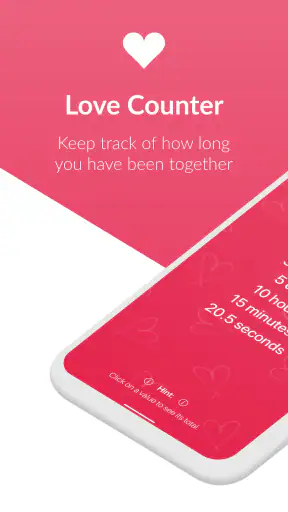
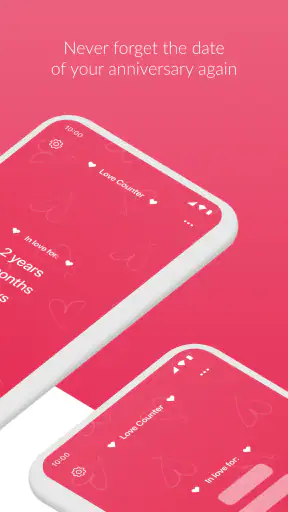
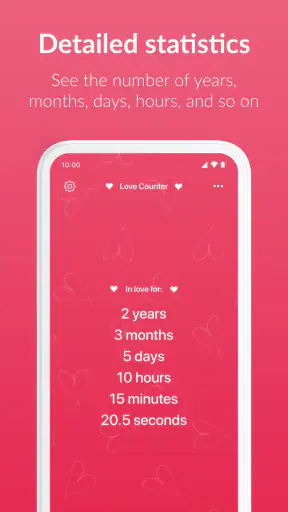
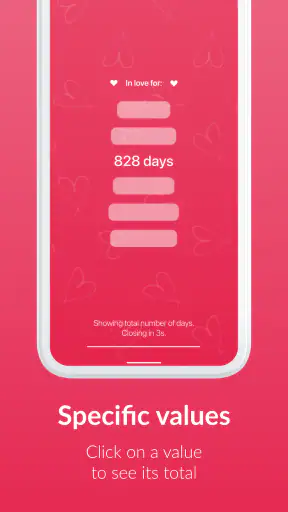
I like small apps that do one job without pretending to be an entire lifestyle system. Love Counter – Time in Love takes that approach: it gives couples a simple way to keep track of how long they have been together. I found the idea appealing because it turns a date that normally sits forgotten in a calendar into something visible and easy to revisit.
This is a free lifestyle app from Oleksandr Dudynets, with a 4.7 average from around 6,100 ratings and more than 1 million installs. Those numbers suggest that the straightforward concept has connected with a wide audience, but they do not tell you whether it will suit your habits. In my experience, the real question is whether you want a dedicated romantic counter or whether a calendar, notes app, or shared widget already does enough.
What the current version feels like to use
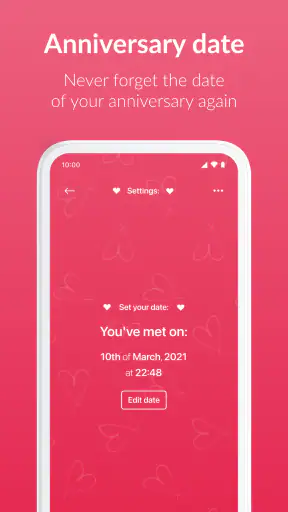
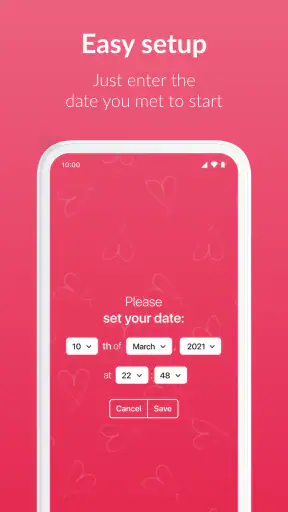
The current release is version 2.5.0, and the app’s central purpose remains refreshingly clear. You provide the important relationship date, then use the app as a quick reference for the time that has passed. It is not trying to replace messaging, planning, journaling, or a shared calendar. That narrow focus is its strongest quality.
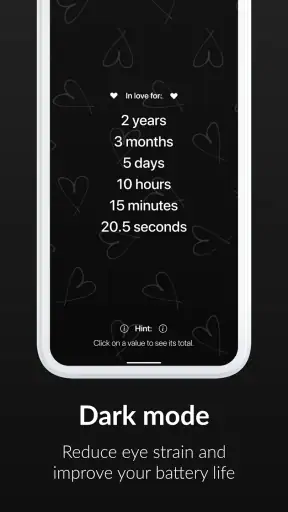
On a normal day, I would expect to open it for a few seconds rather than spend time managing it. That makes it suitable for checking a milestone before sending a message, settling a playful “how long has it been?” question, or simply looking back at the relationship’s progress. The experience is most useful when the counter is treated as a small emotional reminder rather than as a serious tracking tool.
The app is also easy to understand for someone who is not especially comfortable with complicated settings. Its Everyone content rating makes it broadly approachable, although the subject is naturally aimed at people in relationships. A teenager, a newly married couple, or partners living apart could all find a reason to use it, provided they are happy entering a meaningful date into a dedicated app.
One practical point matters more than it first appears: the date you choose becomes the foundation for everything the counter shows. If you and your partner define the beginning of your relationship differently, decide together whether that means your first meeting, first date, or the day you became official. Using the wrong starting point will not necessarily look like a technical problem; it will simply make the result personally inaccurate.
A small tool for meaningful moments
What I enjoy about this kind of app is the low effort. A calendar can calculate elapsed time, but it usually makes you search for the original event. A notes app can store the date, but it does not turn that date into a living reminder. Love Counter sits between those options: it gives the date a dedicated purpose without asking you to maintain a relationship diary.
That simplicity also makes it useful for people who do not want to share a large amount of personal information with a social platform. The app’s value is concentrated in one relationship milestone, so it feels less demanding than joining a broader couples service. At the same time, anyone who wants conversations, shared tasks, photo memories, or detailed anniversary planning will quickly reach the edge of what this format can provide.
I would recommend setting it up when both partners are present. This avoids the awkward situation where one person chooses a date that the other remembers differently. It also turns installation into a small shared moment rather than an isolated configuration task. Once the date is correct, the app becomes more dependable as a quick reference.
How it compares with ordinary alternatives
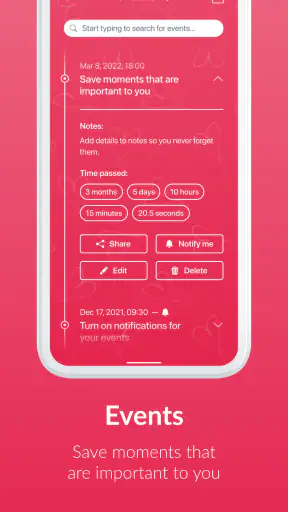
The most obvious alternative is the phone calendar. A calendar is better if your main goal is reminders for birthdays, anniversaries, trips, or recurring events. It is also the better choice for someone who wants a relationship date connected to other plans. Love Counter is more immediate, but less useful as a general organizer.
A calculator or date-difference website can answer the same question once, yet it lacks the personal continuity of keeping the date ready. Those tools make sense when you only need an occasional answer and do not want another app installed. The dedicated counter wins when you enjoy seeing the relationship’s elapsed time without repeating the calculation.
Shared couples apps are a stronger option for partners who want a wider set of tools. They can be more appropriate for coordinated schedules, private conversations, or joint lists. The trade-off is complexity. Love Counter’s appeal is that it does not require you to build a second digital life together just to display one milestone.
Even a home-screen note can be enough for some people. If you already have a reminder that says “together since” and you do not care about an automatically changing counter, installing a separate app may feel unnecessary. I see this app as a focused sentimental utility, not as an essential productivity tool.
What the version and release history mean for users
The app was released on June 20, 2021, and the current version is 2.5.0. That combination tells me the project has had time to move beyond its initial launch, while still keeping the original idea recognizable. I would not read the version number as proof of a dramatic redesign, though. A later version can represent refinements as easily as major additions.
For an existing user, the important benefit of a focused app is continuity. If your stored relationship date is already correct, an update should ideally preserve the reason you installed it: quick access to the elapsed-time display. The less a tool changes its central workflow, the less likely it is to become confusing for people who only open it occasionally.
New users should still check the setup carefully after installing or updating. A counter can look polished and still be wrong if the date, time, or relationship definition was entered casually. I would take a moment to verify the result against a calendar or a shared memory before treating the displayed milestone as authoritative.
The free entry point is helpful because it lets you judge the experience before spending anything. There are in-app purchases priced from $1.99 to $29.99 per item, so I would avoid assuming that every available option is included at no cost. For me, the sensible approach is to use the core counter first and only consider a purchase if an extra presentation or customization option genuinely improves how you want to use it.
This pricing structure creates a clear trade-off. Someone who wants only a basic elapsed-time reminder may never need to pay. Someone who cares about making the display more personal may find the optional items attractive, but should decide based on actual use rather than the emotional pressure of a milestone. A relationship app should add warmth, not make a special date feel like a sales prompt.
Useful habits that make the app more reliable
My first practical tip is to record the chosen date somewhere outside the app, especially if it represents a date you may need later. A calendar event with a clear label gives you a backup and helps distinguish the relationship start from later anniversaries. This is not because the counter is difficult; it is simply good practice whenever one date carries personal meaning.
My second tip is to agree on the display’s purpose. If you want a playful number to share with your partner, precision down to the smallest unit may matter less than a consistent starting point. If you are using it to prepare for a milestone, pair it with a calendar reminder because a counter alone may not prompt you to make plans early enough.
A third useful workflow is to check it before occasions where a small personal detail matters: writing a card, choosing a caption for a photo, or planning a surprise message. The app can save you from mentally calculating the elapsed time, but it works best as preparation rather than as the whole gesture. The meaningful part still comes from what you do with the information.
There is also a subtle emotional consideration. A counter can be charming when both people enjoy seeing progress, but it can become uncomfortable if one partner treats the number as a test of affection or uses it to correct the other person. I would use it lightly. The app can mark time, but it cannot measure the quality of a relationship.
Where the experience may fall short
The biggest limitation is the narrow feature concept. If you want shared memories, conversation prompts, joint goals, or event planning, this app will feel incomplete rather than merely simple. You may end up keeping a counter here while relying on several other tools for everything around it.
Another possible friction point is the meaning of “together.” Couples with an on-and-off history, a long friendship before dating, or different ideas about their anniversary may not get a satisfying answer from one date alone. The app can calculate from the date you enter, but it cannot interpret the story behind that date. In those situations, a journal or flexible calendar record may represent the relationship more honestly.
The purchase range may also affect how you judge the app. Free users can try the basic idea without committing money, but anyone expecting every customization choice to be included may be disappointed. I would be especially cautious about paying for decoration before confirming that you will actually open the app regularly.
It is also not the right choice for someone who dislikes sentimental reminders on their phone. Some people prefer relationship milestones to remain private memories rather than becoming a recurring digital display. For them, a handwritten note, a calendar event, or no tracker at all may be more comfortable.
Finally, I would not choose it as the only place to manage important dates. A counter is excellent for showing elapsed time, but it is not a substitute for a calendar when you need advance planning. If missing an anniversary would cause real stress, use a separate reminder system as well.
Who should use it and what to watch next
I think Love Counter – Time in Love is best for couples who want one dedicated, low-effort way to celebrate how long they have been together. It is especially suitable for people who enjoy small daily reminders, want something more expressive than a plain calendar entry, and do not need a full couples platform.
I would skip it if you are looking for detailed relationship management, shared planning, or a private space for conversations. I would also skip it if you already have a calendar setup that gives you the same information in a way you prefer. The app’s value is emotional clarity and convenience, not breadth.
When considering future updates, I would watch for improvements that preserve the simple setup while making the counter more dependable and flexible. Better handling of different anniversary definitions, clearer control over optional purchases, and thoughtful ways to connect the counter with planned milestones would be more useful to me than a crowded collection of unrelated features.
I would also pay attention to whether the experience remains comfortable for existing users. A focused counter should not force people to rethink a date they have already established or make a quick check feel like a complicated task. Product evolution is most successful here when it adds useful context without losing the app’s immediate purpose.
Overall, I see this as a pleasant niche lifestyle app rather than something every couple needs. The free starting point makes it easy to test, the broad audience and strong 4.7 average show clear appeal, and the central idea is easy to understand within moments. Its limitations are equally clear: one counter cannot replace a calendar, a journal, or a shared relationship space.
My recommendation is simple: install it if you want a small romantic reminder that stays focused on time together. Set the starting date carefully, keep a backup calendar entry for important occasions, and treat any optional purchase as decoration rather than a requirement. Used that way, it does exactly what I want from a lightweight relationship app: it turns one meaningful date into an easy moment of connection.


